Skywatcher
Skywatcher turns your compatible Garmin watch into a pocket planetarium, showing where the Sun, Moon, and visible planets are right now from your location — and how they move in real-time.
New Features!
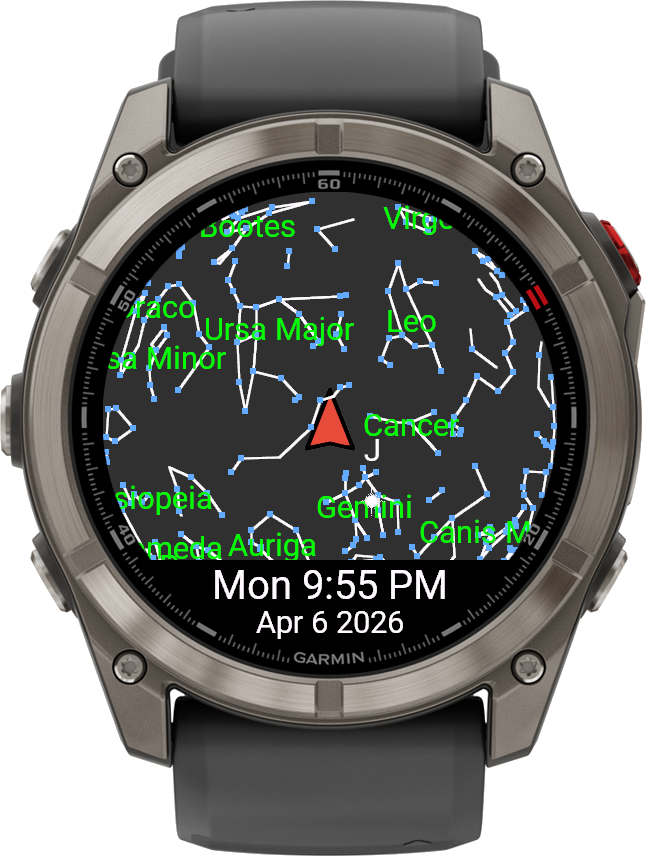
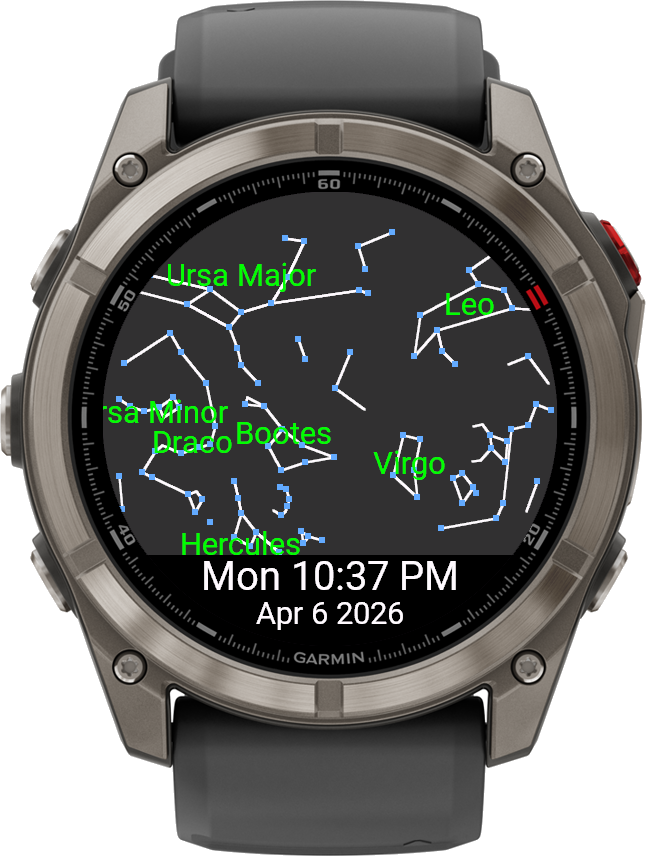
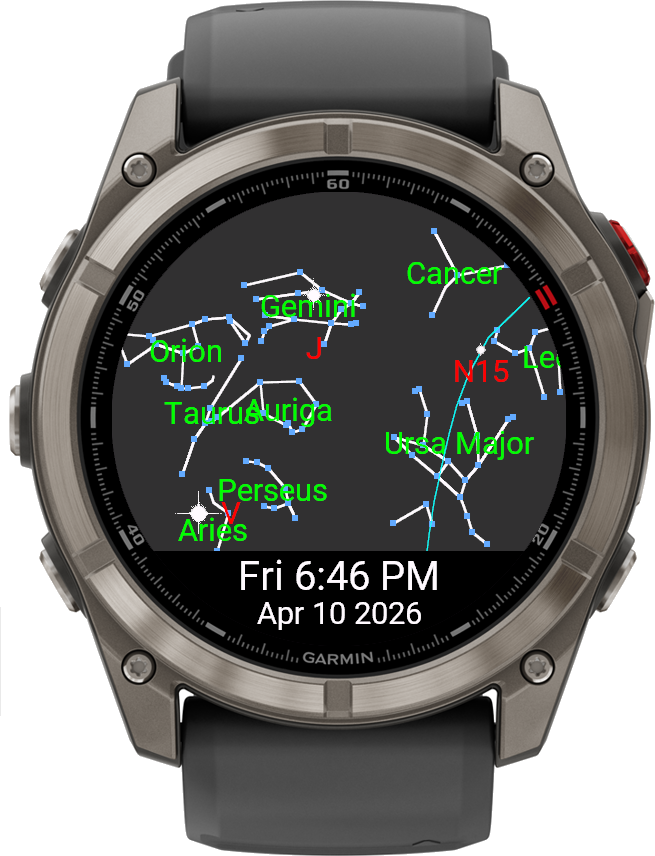
Optionally enable display of Stars and Constellations
Simple Zodiac
30 Prominent Constellations
All 88 Modern Western Constellations
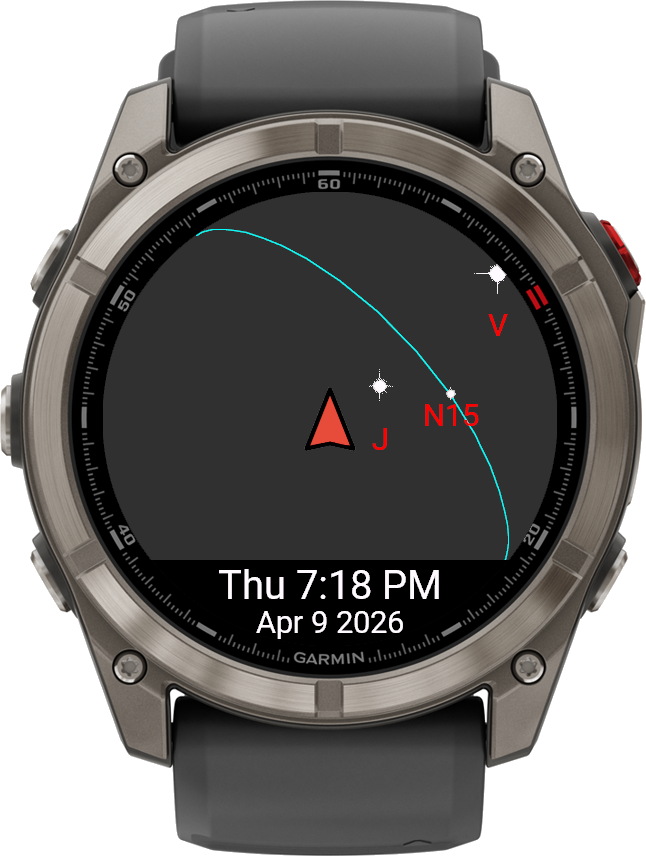
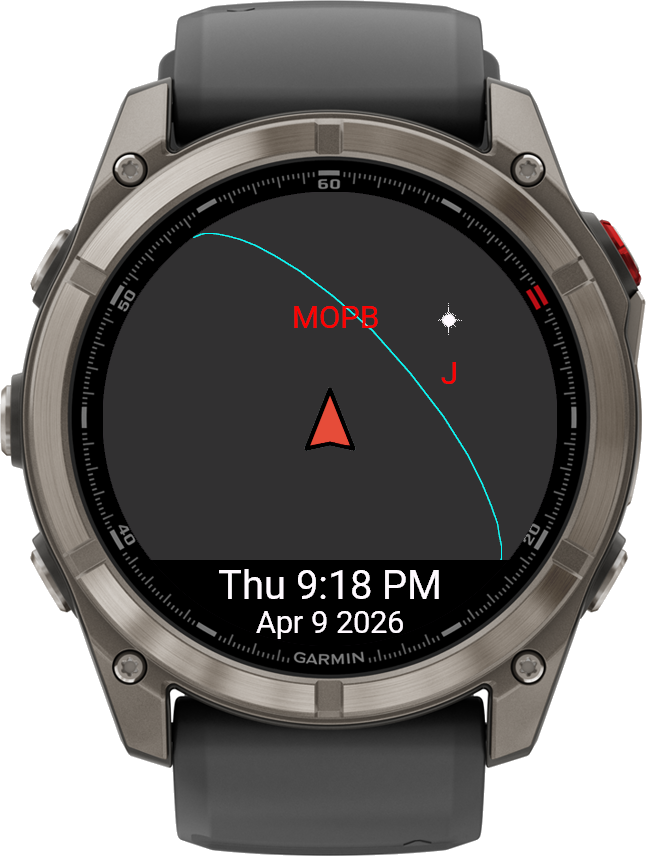
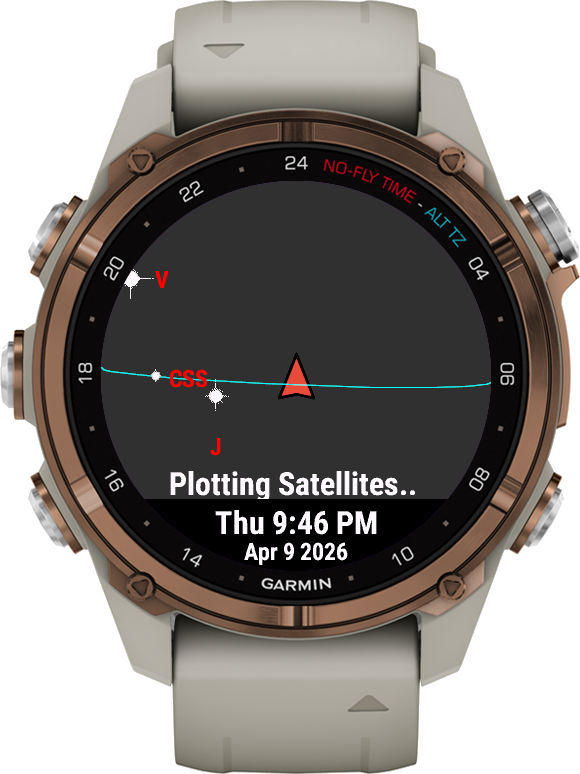
Optionally enable display of visible Satellites
Select from 5 groups of objects by type
40+ objects tracked
Updated tracking data fetched daily online
Tracking and displayed performed entirely offline
Use in Free Mode or upgrade to Pro Mode
Skywatcher supports basic sun, moon, and planets tracking in free mode
Enable Pro Mode to automatically engage the 14 day free trial of full features
Purchase & Unlock Full Features
Install → Use in Free Mode as long as you want
Enable Pro Mode → Automatic 14-day Trial
Trial Expires → Choose to Purchase or Disable Pro Mode
Two Ways to Purchase and Unlock all Features
- One Time Purchase
- Unlock with Bundle License
When the Trial period ends you will be presented with a One-Time Purchase screen. Follow the directions to enter the code and purchase the application for this device.
Alternatively you can unlock the application using the Absolute Bundle License Key. From Connect IQ enter the email address and License Key from your active Absolute Bundle subscription and save it. An active Bundle License Key will bypass the license screen.
If you decide not to purchase after the Trial expires, simply disable Pro Mode to continue using the free features.
Legal: Privacy Policy | Terms & Conditions
Free Mode Features
- Real-time view of the Sun, Moon, and visible planets based on your current time and location
- 360° sky view that shows the entire horizon around you in a single glance
- View Hidden Objects By default during daylight hours, only the Sun and Moon are shown, enable Show All to see object positions
- Details View Quick access to Sun and Moon details,
- Solar Rise and Set Times
- Lunar Rise and Set Times
- Current Lunar Phase (Phase Name, Illumination and Image)
- Next Full and New Moon Dates
- Dark Mode option for comfort and night-vision preservation
- Time Warp controls to jump forwards or backwards by months and watch the sky change
Premium Features
- Line-of-sight view focused on the direction you’re facing, with a clear horizon line
- Show Constellations display 560+ stars and constellation lines with flexible name label display options
- Extended Details Extended Details mode to include rise / set times and current Az / Alt for Mercury, Venus, Mars, Jupiter and Saturn.
- Show Major Satellites display real-time tracking for more than 40 Satellites in five categories.
- Crewed - Dynamically updated with currently in-space manned craft
- Earth-Observation - Earth orbiting Science and Observatory missions - 13 objects
- Weather - Prominent Wheather Satellites - 9 objects
- Radar - Earth-observing Radar Satellites - 5 Objects
- Debris - Brightly visible Debris, discarded rocket bodies, etc. - 11 Objects
These major objects are included in all data sets
- International Space Station (ISS)
- Hubble Space Telescope (HST)
- Tiangong Space Station (CSS)
How It Works
Basic Controls
Skywatcher is designed to feel natural on both button-only and touchscreen devices:
- Next / Prev buttons, or swipe up / down on touchscreens, move time in 15-minute steps from “now”.
- Select opens detail pages for the Sun and Moon, including rise/set and upcoming lunar events.
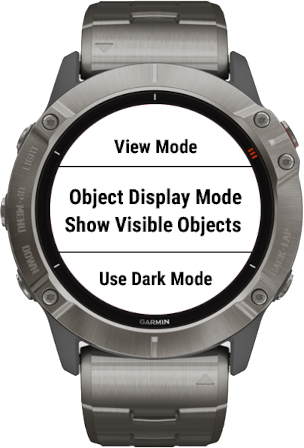
- Menu opens the settings menu, where you can change view modes, Dark Mode, and Time Warp options.
View Modes
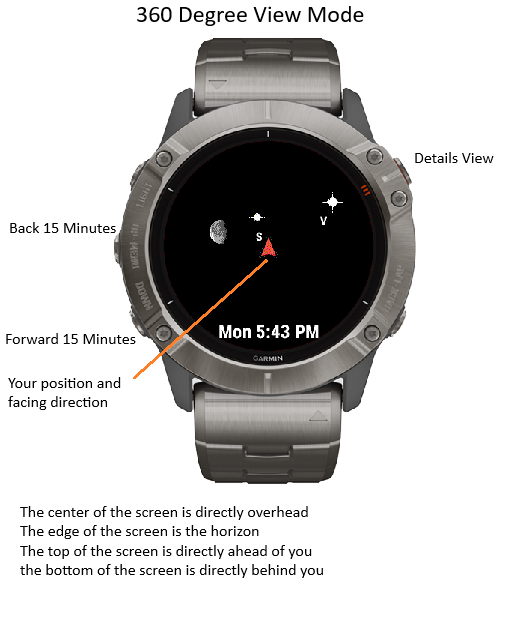
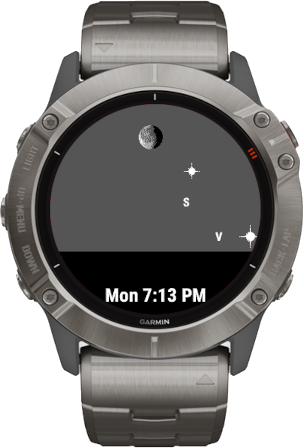
360° Sky View
The default view is a top-down map of the sky around you:
- The top of the screen represents the sky in front of you.
- The center of the screen is directly overhead.
- The outer edge of the circle represents the horizon all around you in a full 360° view.
This mode is ideal when you want to understand where everything is in the sky at once — especially when planning observations or learning the layout of the night sky.
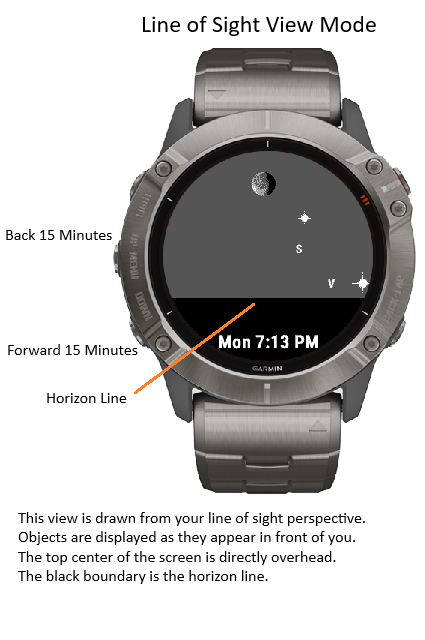
Line-of-Sight View
Line-of-Sight View focuses on the part of the sky you’re actually facing. The top of the screen is directly above you, and the horizon is shown as a black horizon line across the display.
Use this mode when you want to quickly confirm what object you’re looking at, or see which planets are just above the horizon in front of you.
Visible Objects vs. Show All
By default, Skywatcher only shows objects that are realistically visible — for example, the Sun and Moon during daylight, and planets when they’re above the horizon.
If you’d like to see all tracked objects regardless of visibility (for learning or planning), switch the view mode to Show All Objects in the menu.
Dark Mode
In normal mode, the background color shifts between day, twilight, and night to match the current lighting. When you enable Dark Mode, the background is always black, which:
- Reduces distraction
- Helps preserve night vision
- Makes stars and planets stand out more clearly
Time Warp
Use the Time Warp option in the menu to jump forwards or backwards in time by whole months. This is perfect for:
- Seeing how the positions of planets change over weeks and months
- Planning future observing sessions or trips
- Exploring seasonal differences in the night sky
Details Mode
Press Select or Tap the screen to enter Details Mode
- Press Next / Prev or Swipe up and down to change pages
- Sun Rise and Set Times
- Moon Rise and Set Times with current Phase
- Next Full and New Moon dates
- Mercury Rise and Set times with current Azimuth (compass direction) and Altitude (above or below the horizon)
- Venus Rise and Set times with current Azimuth (compass direction) and Altitude (above or below the horizon)
- Mars Rise and Set times with current Azimuth (compass direction) and Altitude (above or below the horizon)
- Jupiter Rise and Set times with current Azimuth (compass direction) and Altitude (above or below the horizon)
- Saturn Rise and Set times with current Azimuth (compass direction) and Altitude (above or below the horizon)
- Next 3 visibility windows (dark, above the horizon, sun lit, Rise and Set times) for each of the tracked Earth orbiting satellites
Showing Constellations
To enable display of Constellations and Stars, select Menu and toggle Show Constellations.
Note:
Calculating the positions of 560+ stars takes a bit of time. Positions are cached and only re-calculated every 5 minutes.
During re-calculation a 'Plotting Stars' message will be displayed above the time line on the bottom of the screen
Showing Earth Orbiting Satellites
To enable display of Satellites, select Menu and toggle Show Satellites.
Note:
Satellite tracking requires fresh tracking data (within 72 hours) for reasonable accuracy. Enabling Show Satellites will enable background communications to fetch up-to-date tracking data once per day.
Requirements & Compatibility
Skywatcher is designed for compatible Garmin devices that support the Connect IQ platform. For best results, your watch should:
- Support the app type used by Skywatcher (check the Connect IQ Store listing)
- Have access to GPS so your current location can be determined
Skywatcher depends on your current location to place objects correctly in the sky. If the app cannot get a current GPS location it will estimate longitude based on timezone. Step outside with a clear view of the sky and give your watch a moment to acquire a position.
Once a location has been acquired, the app caches your most recent GPS coordinates and uses them as a quick starting point on future launches. Location is refreshed periodically while the app is running when GPS is available.
Screens
Stars and Constellations
Satellites
Flixable Configuration Options
- Combine various display options for Constellations and Satellites
- 'Lit' Visible Satellites shown with position marker and name
- 'Unlit' Invisible Satellites shown with name marker only
- Works in Line of Sight or 360 Degree View modes
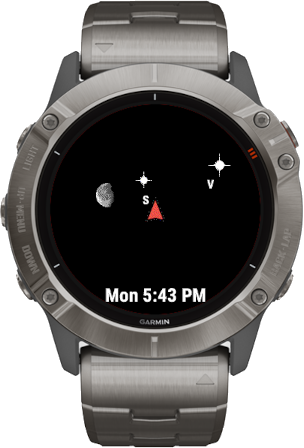
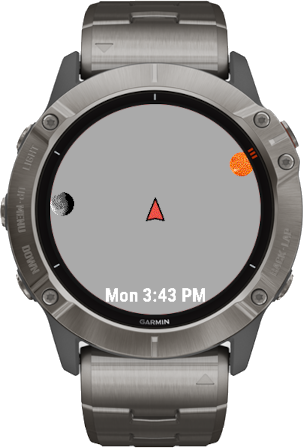
Various Screen Images
Credits
-
Astronomy Library
SolarSystem -
Star Positions
Yale Bright Star Catalog -
Constellation Lines
MarcvdSluts -
Satellites
SGP4 Library
Terms & Conditions | Privacy Policy | Contact