
Dynamic Training Profiles
Dynamic Profiles let your FTMS datafield automatically adjust your smart trainer’s speed, incline, resistance, or power during a workout. You can build your own intervals, hills, pyramids, or steady-state sessions and let the app drive the trainer for you.
If the profile strings below look a bit “techy”, don’t worry — you can copy and paste the examples and tweak just a few numbers to get something that works for you.
Where Profiles Live
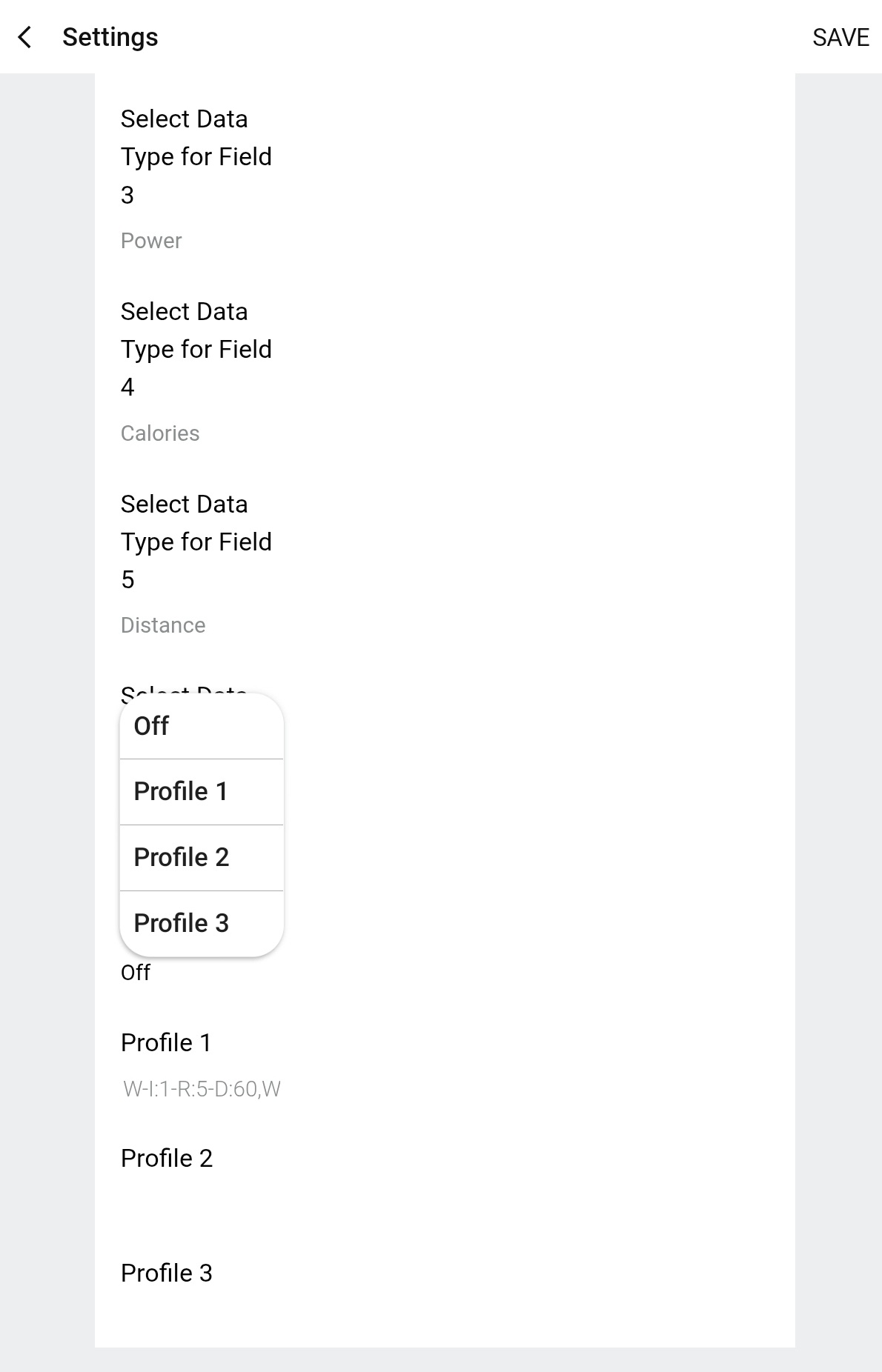
Each FTMS datafield has 3 profile slots: Profile 1, Profile 2, and Profile 3. You can turn profiles on/off and edit them from the datafield settings:
- Open the Garmin Express desktop app or Connect IQ mobile app.
- Go to your installed FTMS datafield (Bike, Elliptical, Rower, etc.).
- Tap Settings for that datafield.
- Scroll to Profile Parameters or Dynamic Profile.
- Edit Profile 1–3, and choose which profile to run (or set to Off to disable).
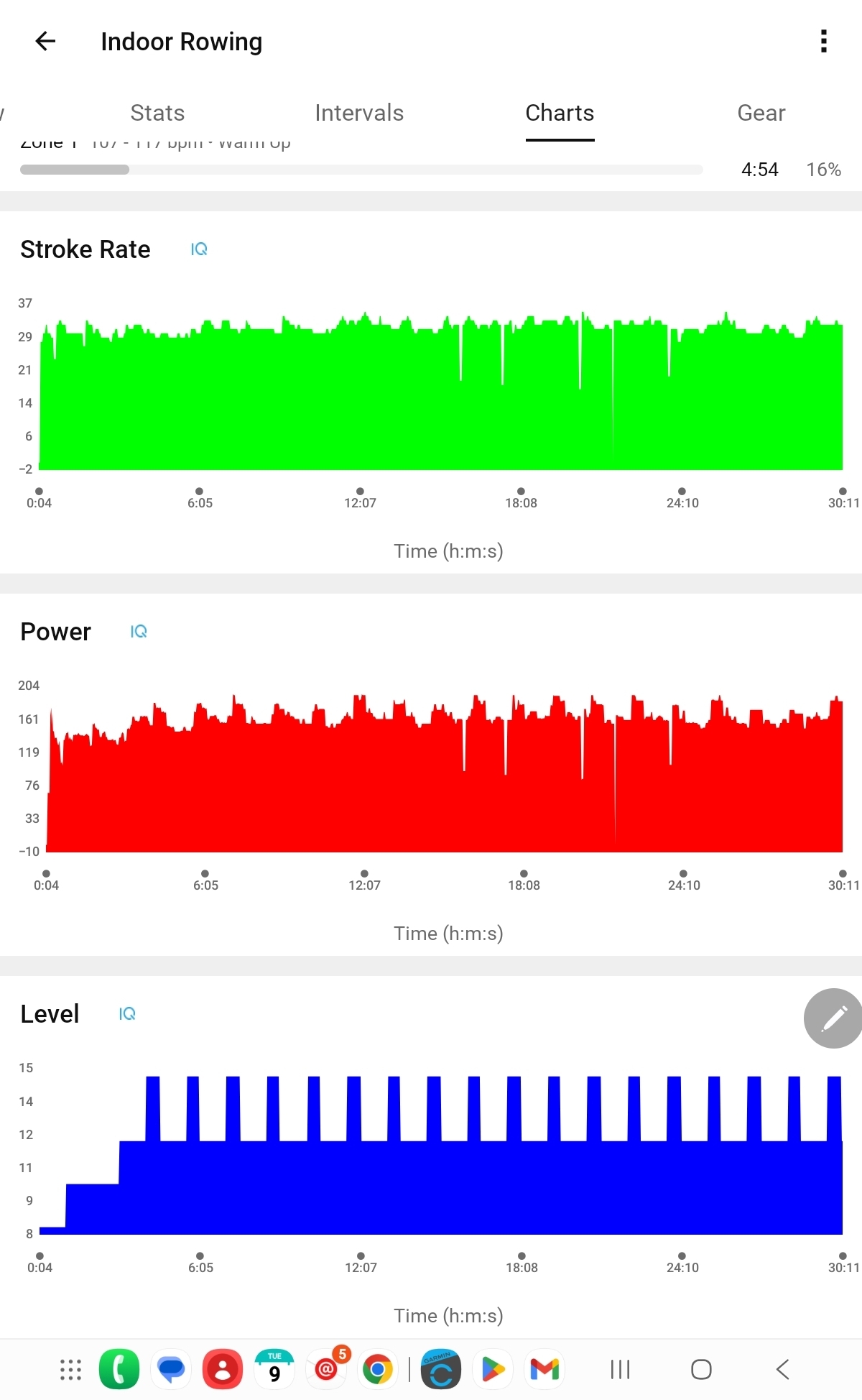
During your workout you’ll see the trainer responding over time, and you’ll see the changing speed / incline / resistance / power on the Charts tab in Garmin Connect after you save the activity.
How Profile Strings Work (The Simple Version)
A profile is just a line of text made up of elements separated by
commas (,). Each element tells the trainer:
- What setting to use (speed, incline, resistance, power)
- Value to apply to the specified setting type
- How long to hold that value (in seconds)
Each element can contain parameters for controlling any or all setting types. For example you can manipulate speed, incline and resistance all at the same time with each element.
Note: Setting Power is generally only supported on expensive Bike trainers that support
Example:
S:5.0-D:60, S:7.0-D:30This means:
- Go at 5.0 kph for 60 seconds
- Then go at 7.0 kph for 30 seconds
- Then repeat that 60s / 30s pattern over and over until you stop the activity
Element Building Blocks
Each element is made of one or more components. You can mix and match these:
| Code | Meaning | Example | Units |
|---|---|---|---|
S | Speed | S:5.5 | kph |
I | Incline | I:6.5 | % grade |
R | Resistance level | R:10 | Device-specific level |
P | Power | P:180 | Watts |
D | Duration | D:45 | Seconds |
W | Warmup flag | W | (no value or units, see description below) |
Inside one element, components are joined with dashes (-):
S:5.5-I:3-D:60This means “Speed 5.5 kph, incline 3%, hold for 60 seconds”.
Rules of thumb:
- Every element must include a duration (
D:seconds). - Each element should include at least one of:
S,I,R, orP. - Elements are separated by commas (
,). - After the last element, the profile loops back to the first (unless it’s warmup-only, see below).
- Minimum and Maximum values are internally discovered by the application from the trainer. Excessive values are clipped at runtime
Warmups (Optional)
You can mark specific elements as a warmup segment so they only run
once at the beginning of the workout. To do that, add a W- at the start
of the element.
Warmup elements should be placed in order at the start of the profile. (Not strictly necessary, but best practice.)
Example with warmup:
W-S:3.0-D:120, S:5.0-D:60, S:7.0-D:30What happens:
- Warmup: 3.0 kph for 120 seconds (runs once)
- Main loop:
- 5.0 kph for 60 seconds
- 7.0 kph for 30 seconds
Ready-to-Use Sample Workouts
You can copy any of these into a Profile slot and adjust the numbers to taste. Always make sure the values are safe and reasonable for your fitness level and your specific machine.
1. Simple Treadmill Intervals (Speed only)
Goal: Alternate easy and hard running speeds.
S:5.0-D:60, S:7.0-D:301 minute at 5.0 kph, then 30 seconds at 7.0 kph, repeating as long as the activity runs.
2. Elliptical Hills (Incline + Resistance)
Goal: Gentle warmup, then rolling hills.
W-I:2-R:5-D:120, W-I:4-R:7-D:120, I:6-R:9-D:90, I:10-R:11-D:45Two warmup steps at low incline and resistance, then a repeating pattern of moderate hills followed by steeper, tougher segments.
3. Rowing Power Steps (Resistance)
Goal: Build up effort, then settle into a strong pace.
W-R:4-D:60, W-R:6-D:60, R:8-D:90, R:10-D:90Warm up with resistance 4 and 6, then alternate between 8 and 10 for 90 seconds each.
4. Treadmill Hill Pyramid (Incline with constant speed)
Goal: Up-and-down hill pyramid, same speed the whole time.
W-S:4.5-D:120, S:5.5-I:2-D:60, S:5.5-I:4-D:60, S:5.5-I:6-D:60, S:5.5-I:4-D:60, S:5.5-I:2-D:602-minute warmup at 4.5 kph, then speed 5.5 kph while the incline climbs from 2 → 4 → 6 and back down again. The pyramid loop repeats until you stop.
5. Bike Power Intervals (Power targets)
Goal: Alternate moderate and hard power blocks.
W-P:120-D:120, P:150-D:60, P:200-D:602-minute warmup at 120 W, then a repeating pattern of 150 W for 60 seconds and 200 W for 60 seconds. (Your trainer must support power control for this to work.)
Tips & Common Gotchas
- No extra spaces: Avoid spaces in the profile string
(
S:5.0-D:60,S:7.0-D:30is better thanS:5.0 - D:60, S:7.0 - D:30). - Duration is required: Every element must include
D:seconds. - Know your machine: Some devices don’t support certain controls (for example, incline on a rower). If a control isn’t supported, that part of the request will be ignored.
- Start conservative: Try lower speeds, inclines, resistance, and power at first. You can always increase them later.
- Test with short profiles: Run very short durations (10–20 seconds) to confirm the trainer is responding correctly before committing to a long workout.
- Experiment and have fun:Take your workout to the next level and make things more interesting!
If you’re unsure whether your profile is valid, start with one of the examples above, change just a single number, and test again. Small edits are much easier to debug than starting from scratch.
Terms & Conditions | Privacy Policy | Contact