
Dicey!
A quick, no-nonsense dice roller for your Garmin watch – perfect for tabletop RPGs, board games, and on-the-go decisions.
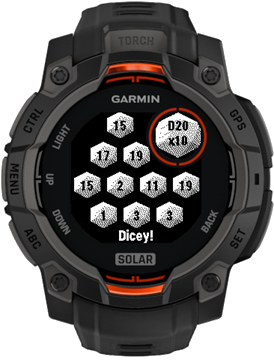
Dicey! lets you roll virtual dice directly from your wrist. Choose your dice type, pick how many to roll, and tap once to get instant results – no physical dice required and no table space needed.
Key Features
- Select common dice types from D4 up to D20
- Roll between 1 and 10 dice at once
- Use a global settings menu to control app behavior
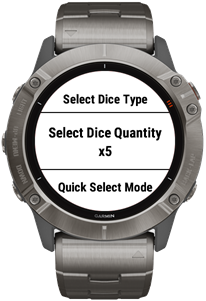
- Toggle Quick Mode to switch what the Next/Prev actions adjust (dice type or quantity)
- Use Next/Prev buttons (or swipe up/down on touch devices) to change the active setting quickly
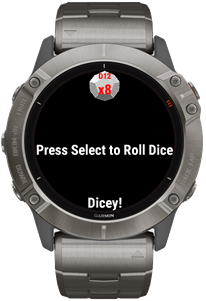
- Press Select to roll a fresh set of dice values
How to Use Dicey!
- Open Dicey! from your watch’s Apps or Glances list.
- Select your desired dice type (D4, D6, D8, D10, D12, or D20).
- Choose how many dice to roll (from 1 up to 10).
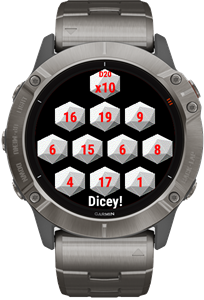
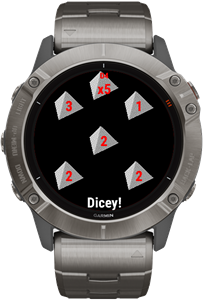
- Press Select to roll – individual values and totals are shown on-screen.
Use the Menu button to open the settings screen, where you can turn Quick Mode on or off. When Quick Mode is enabled, you can rapidly switch either the dice type or the number of dice using the Next/Prev buttons (or swipe gestures on compatible devices).
Dicey! is designed to be readable at a glance, even mid-game, so you can keep the action flowing without digging out a physical dice bag.
Screens
Here are a few examples of Dicey! on a Garmin watch.
Terms & Conditions | Privacy Policy | Contact