FTMS Rowing
Connect your Garmin watch to FTMS-compatible rowing machines and capture real-time stroke rate, power, pace, and distance — directly into your workout file.
The link opens the official Garmin Connect IQ Store in a new tab.
Purchase and Unlock instructions: remove the time-limited trial and record full sessions.
What FTMS Rowing Does
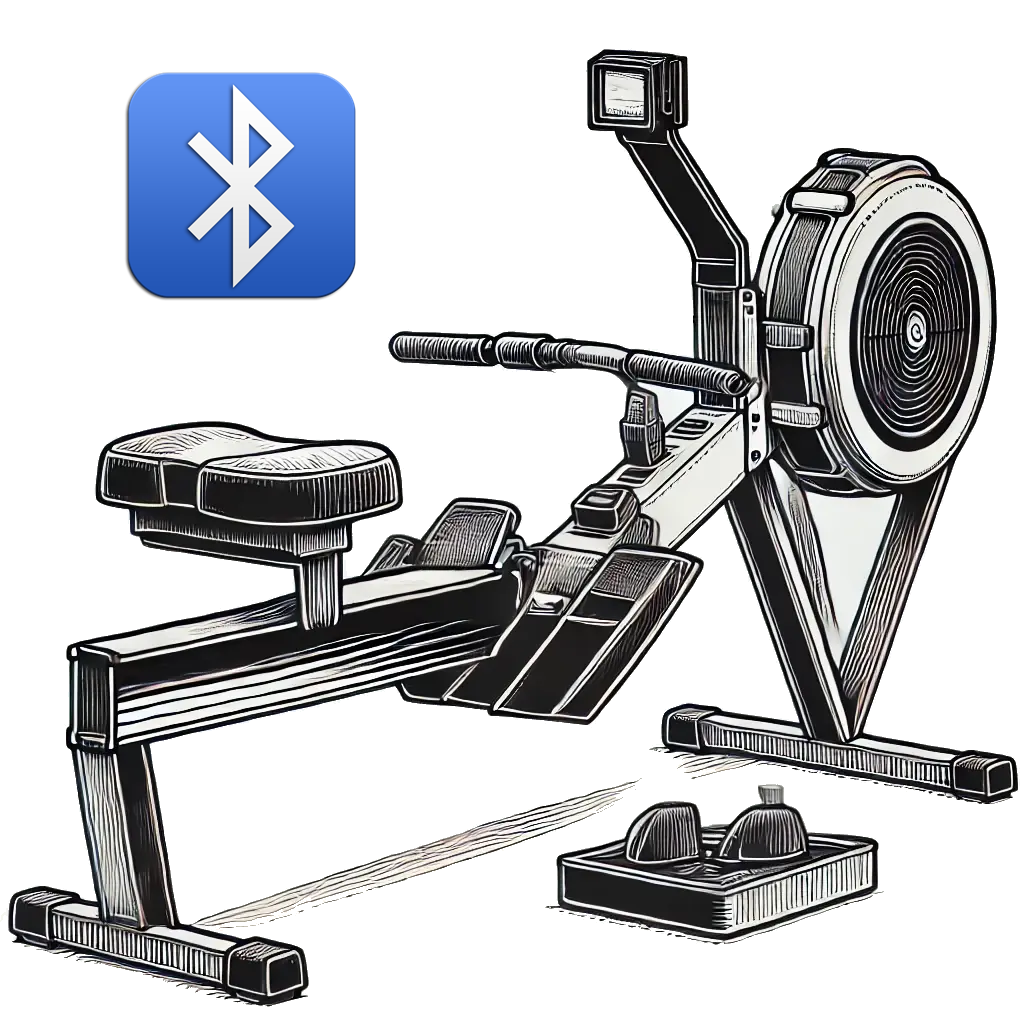
The FTMS Rowing datafield lets your Garmin device talk directly to FTMS-compatible rowing machines over Bluetooth. During your workout, it reads metrics like stroke rate, power, pace, and distance from the rower and logs them into your activity so you can review everything later in Garmin Connect.
FTMS Rowing runs as a datafield screen inside Garmin’s built-in activities (such as Row Indoor or Cardio), not as a standalone app. If you’re new to datafields, the setup guide below will walk you through it step by step.
Free Trial & Unlock Model
You can use FTMS Rowing in a free trial mode, limited to the first 10 minutes of each activity. During the trial window:
- All features are active, including Dynamic Training Profiles
- You can confirm your rower is compatible and metrics are recording correctly
To remove the time limit and record full sessions, you can unlock the app via an annual subscription processed securely through Gumroad. Details and pricing are explained on the Purchase & Unlock page.
Prefer a one-time purchase instead of a subscription? Consider FTMS All Sync, which supports all trainer types in a single app with full Dynamic Training Profile support.
How It Looks on Your Watch
FTMS Rowing provides a full-screen data page showing up to six metrics at once, including stroke rate, power, and pace, plus Dynamic Training Profiles for intervals, pyramids, and other structured rowing sessions.
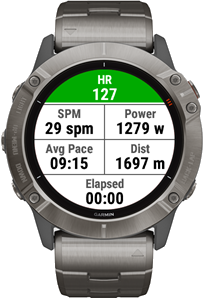
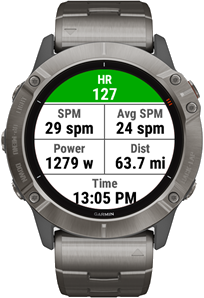
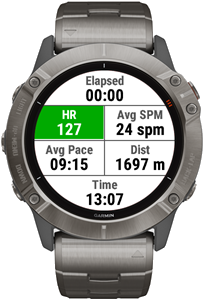
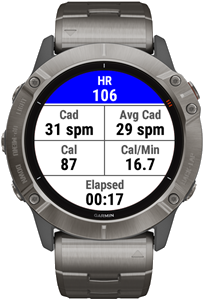
Note: Exact layouts and available metrics depend on your rowing machine and device model.
Smart Trainer Metrics
These metrics are read directly from your FTMS-compatible rowing machine (when supported by your trainer) and recorded into the activity file:
- Instant Stroke Rate
- Average Stroke Rate
- Peak Stroke Rate
- Total Stroke Count
- Instant Power
- Average Power
- Peak Power
- Total Distance
- Distance in Meters
- Average Pace
- Lap Pace
- Calories
- Resistance Level
- Elapsed Time
Garmin Device Metrics
These values come from your Garmin watch itself and can be shown alongside trainer data:
- Heart Rate
- Average Heart Rate
- Max Heart Rate
- Energy Expenditure (Cal/min)
- Clock Time
All of these are stored in your activity, so you can review them later on the Stats and Charts pages in Garmin Connect or in compatible third-party platforms.
Compatibility Notes
FTMS Rowing is designed for machines that support the standard FTMS Bluetooth profile. In many product descriptions this may be listed as:
- “FTMS”
- “Bluetooth Smart Trainer”
- “BLE FTMS support”
Some commercial or gym rowers use proprietary Bluetooth protocols and may not be detected by the app. If your trainer isn’t being found, check the FAQ & Troubleshooting page for steps to verify FTMS support and test using the BleScan tool.
For a guide to which brands have released FTMS-capable rowing machines (including Concept2 PM5, WaterRower, and NOHrD), and an honest explanation of Garmin’s BLE limitations, see the Compatible Equipment & Garmin guide.
Terms & Conditions | Privacy Policy | Contact